
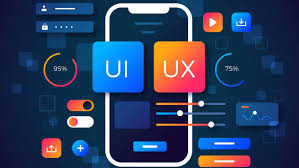
What Are UX and UI in Design
Every digital product that a person uses, a website, a mobile app, a checkout flow, a dashboard, has been shaped by two distinct but inseparable disciplines: UX and UI. Together, design UX UI defines how a digital product works and how it looks, and the quality of both determines whether users find it satisfying or frustrating, whether they complete the actions they came to complete, and whether they return.
These disciplines are frequently misunderstood, conflated, or treated as interchangeable when they are not. Understanding what each one does, and why both are necessary, is the foundation for building digital products that perform at the level modern users expect and modern search engines reward.
At Ace Digital Marketing, UX and UI thinking is woven into every digital product we build and every website we optimize. Our work with Earth Value, a licensed Saudi real estate appraisal company accredited by the Saudi Authority for Accredited Valuers, illustrates how thoughtful UX and UI design, integrated with SEO strategy and brand positioning, contribute to the kind of digital presence that converts organic visibility into real business outcomes. This guide covers UX and UI comprehensively: what they are, how they differ, what a designer in this field does, and why both matter for every digital platform.
Understanding the Difference Between UX & UI
What Is User Experience (UX)
User Experience, UX, is the totality of a person’s interaction with a digital product: how they find what they are looking for, how they navigate from one point to another, how the product responds to their actions, and whether the experience leaves them feeling successful or confused. UX is fundamentally about function, flow, and psychology, understanding how people think, how they behave, and what they need at each stage of their interaction with a product.
UX design is not visible in the way that visual design is. It is felt rather than seen, in the clarity of a navigation menu, in how easily a form can be completed, in whether the search results on an e-commerce site return what users are actually looking for. Good UX is experienced as ease and naturalness. Poor UX is experienced as friction, confusion, and abandonment.
The discipline draws heavily from cognitive psychology, human factors research, and behavioral science. UX designers study how people form mental models of digital systems, where they expect things to be, and what patterns of interaction feel intuitive versus effortful. This understanding shapes every structural decision in a product, from the sequence of steps in a checkout process to the placement of a help link on a complex form.
What Is User Interface (UI)
User Interface, UI, is the visual and interactive layer of a digital product: the buttons, typography, color palettes, icons, spacing, animations, and every visual element that users see and interact with. Where UX is about how the product works, UI is about how it looks and feels at the moment of interaction.
UX & UI design are related but distinct craft disciplines. A UI designer works with visual hierarchy, using size, weight, color, and contrast to communicate what is most important on a page and guide users toward key actions. They work with component libraries and design systems that ensure visual consistency across a product. They consider how microinteractions, the subtle animations and feedback signals that confirm an action has been taken, contribute to the sense of a polished, responsive product.
UI design is the expression of brand identity within functional interfaces. The colors chosen for a button, the font selected for body text, and the spacing between elements all of these communicate something about the brand behind the product and shape the user’s perception of its quality and trustworthiness before they have read a single word of copy.
How UX and UI Work Together
The relationship between UX & UI is sequential and interdependent. UX work should precede UI work; the structure, flow, and information architecture of a product should be validated before visual design decisions are made, because a beautifully designed interface built on a flawed user flow will still fail users. But UI work cannot be entirely separated from UX considerations either, because visual design decisions affect usability, the readability of text, the discoverability of interactive elements, and the clarity of feedback signals are all simultaneously visual and experiential concerns.
In practice, designer UX UI professionals often work across both disciplines, particularly in smaller teams and agencies, bringing UX thinking to their visual design decisions and UI sensitivity to their structural choices. The most effective digital products are those where UX and UI have been developed in close collaboration, where the structure serves the user and the visual design makes that structure beautiful and intuitive simultaneously.
What Does a UX UI Designer Do
Researching User Needs and Behavior
The work of a designer UX UI professional begins not with drawing or prototyping but with understanding. User research is the investigative phase that answers the fundamental question underlying all design decisions: what do users actually need, and how do they actually behave when trying to get it?
Research methods in UX UI design include user interviews, structured conversations with target users that reveal their mental models, pain points, and expectations; usability testing, observing users attempting to complete tasks with an existing product or prototype to identify where they struggle; surveys that gather quantitative data about user preferences and satisfaction at scale; and analytics analysis that reveals behavioral patterns from real product usage, where users spend time, where they drop off, and which paths they take through a product.
This research produces the insights that prevent design decisions from being based on assumptions. A designer who assumes they know what users want without research is designing for themselves, a common and costly mistake that research consistently corrects. According to the Nielsen Norman Group, one of the world’s leading UX research organizations, usability testing with as few as five users consistently uncovers the majority of significant usability problems in a product, making research investment one of the highest-return activities in the design process.
Creating Wireframes and User Flows
With user research in hand, the UX designer translates insights into structure, creating wireframes and user flows that define how the product is organized and how users move through it. Wireframes are low-fidelity representations of page layouts that show the placement of content elements, navigation structures, and interactive components without visual styling, allowing structural decisions to be evaluated and iterated on quickly before visual design investment begins.
User flows map the paths a user takes through a product to complete specific goals, from the moment they arrive on a landing page to the moment they complete a purchase, submit a form, or find the information they came for. Mapping these flows reveals decision points, potential dead ends, and opportunities to reduce the number of steps required to reach an outcome, directly impacting conversion rates and user satisfaction.
The deliverables of this phase, wireframes, user flows, and information architecture diagrams, serve as the blueprint that UI design and development work from, ensuring that the visual and technical implementation serves the validated structural logic rather than departing from it.
Designing Interfaces and Visual Elements
With the structure validated, the web designer UX UI professional moves into visual design, translating the wireframe structure into a full visual design system. This phase involves establishing or applying the brand’s visual identity within the product: selecting or applying the color palette, typography system, iconography, and spacing principles that will govern the entire interface.
Component design, creating the reusable visual building blocks that make up the interface, such as buttons, form fields, cards, modals, and navigation elements, is a core deliverable of this phase. Well-designed component libraries allow interfaces to be built consistently and efficiently, with every element following the same visual logic and behaving predictably for users.
High-fidelity mockups, pixel-accurate representations of every screen in the product, serve as the reference for development handoff, showing exactly how the final product should look and behave. Prototypes that link these mockups together allow the design to be tested for usability before development begins, surfacing issues that are far less expensive to fix in the design phase than in the development phase.
Key Skills Every UX UI Designer Needs
User Research and Analysis
The ability to conduct, analyze, and synthesize user research is the foundational skill of UX design. This includes both qualitative methods, interviews, usability tests, contextual inquiry, and quantitative methods, analytics interpretation, survey design, and A/B test analysis. A designer UX UI professional who can move fluently between these methods and translate their findings into clear design recommendations is significantly more valuable than one who designs by intuition alone.
Research skills also include the ability to communicate findings persuasively, presenting user insights to stakeholders, product managers, and developers in ways that build shared understanding and justify design decisions with evidence rather than opinion.
Visual Design and Prototyping
UI design skills require proficiency in the visual fundamentals, typography, color theory, layout, hierarchy, and spacing, as well as the technical skills to execute those fundamentals in the tools used by the industry. Prototyping skill allows designers to create interactive simulations of their designs that can be tested with users and evaluated by stakeholders before development begins, compressing the feedback loop between design decisions and their validation.
Strong visual design for UX & UI work requires the ability to make interfaces both beautiful and functional, ensuring that visual design decisions always serve usability rather than competing with it. The most visually sophisticated interfaces are those where design complexity is invisible to the user: where every visual element serves a clear purpose and contributes to the clarity of the interaction.
Usability Testing and Iteration
Usability testing is the empirical practice of observing real users interacting with a design and using those observations to improve it. The ability to plan, conduct, and analyze usability tests, and then translate findings into specific, prioritized design improvements, is what separates designers who work iteratively from those who design once and deliver without validation.
Iteration, the willingness to revise designs in response to evidence, even when that means revisiting decisions that felt confident, is both a skill and a mindset. The best designer UX UI professionals are comfortable with ambiguity and skilled at using feedback as a tool for improvement rather than experiencing it as criticism.
UX UI Design Process from Start to Finish
Discovery and Research Phase
The discovery phase establishes the context within which design decisions will be made. It includes stakeholder alignment, understanding the business objectives, technical constraints, and success criteria that the design must serve, alongside user research that grounds those business objectives in the actual needs and behaviors of the people the product will serve.
The outputs of this phase include research synthesis documents, user personas, and problem statements that define what the design is trying to achieve for whom. These documents serve as the shared foundation for all subsequent design decisions, ensuring that the design team, product team, and business stakeholders are aligned on the objectives before divergent thinking begins.
Design and Prototyping Phase
The design phase moves from the problem space to the solution space, generating, evaluating, and refining structural and visual solutions to the problems identified in discovery. It typically moves through levels of increasing fidelity: sketches and low-fidelity wireframes that explore structural possibilities quickly; medium-fidelity wireframes that validate information architecture and user flows; and high-fidelity mockups and interactive prototypes that represent the final intended design with precision. Our Earth Value Case Study demonstrates how design decisions at this phase directly support the visibility and conversion goals that an SEO strategy is built around, with the website’s structure optimized simultaneously for user experience and search engine discoverability.
Testing and Optimization Phase
Testing bridges design and delivery, and for the most effective teams, it continues after delivery as well. Pre-launch testing validates that the design solves the problems it was intended to solve and that users can navigate the product successfully. Post-launch testing uses real behavioral data to identify gaps between the designed experience and the actual user experience, driving ongoing optimization that improves performance over time.
This iterative post-launch optimization is what distinguishes digital products that continuously improve from those that stagnate after their initial release, and it is the phase where UX and analytics work most closely together, with behavioral data informing design hypotheses that are tested and validated through structured experiments.
Tools Used by Web Designer UX UI Professionals
Design and Prototyping Tools
Figma has become the dominant tool for web designers’ UX UI work, replacing earlier tools like Sketch and Adobe XD in most professional environments. Its collaborative, browser-based architecture allows design teams to work together in real time on the same files, a significant practical advantage over tools that require file export and handoff for collaboration. Figma’s component and variable systems make design system management practical at scale, and its prototyping capabilities allow interactive flows to be demonstrated and tested without code.
Adobe Creative Suite, particularly Illustrator and Photoshop, remains relevant for specific tasks, including complex illustration work, photo editing for design assets, and motion design. Framer and ProtoPie are increasingly used for high-fidelity prototypes that simulate complex interactions beyond what Figma’s native prototyping can express.
Collaboration and Handoff Tools
Effective design UX UI work requires clear communication between designers and developers at the point where designs are handed off for implementation. Figma’s built-in developer mode provides direct access to design specifications, dimensions, colors, typography, spacing, and component properties, without requiring separate specification documents. Zeplin and Abstract provide similar handoff functionality with additional workflow management features.
Collaboration tools beyond the design software include FigJam for collaborative whiteboarding and workshop facilitation, Miro for research synthesis and information architecture work, and Notion or Confluence for design documentation and research repository management.
Testing and Analytics Tools
Usability testing tools, including Maze, UserTesting, and Lookback, allow designers to conduct moderated and unmoderated user tests with recruited participants, gathering video recordings of users interacting with prototypes alongside behavioral metrics that quantify usability performance.
Analytics tools, including Google Analytics, Hotjar, and Microsoft Clarity, provide behavioral data from live products, heatmaps that show where users click and where their attention lands, session recordings that reveal how individual users navigate through the product, and funnel analysis that identifies where users abandon conversion flows. These tools connect design decisions to business outcomes in measurable terms that stakeholders can act on.
Importance of UX & UI in Website Performance
Impact on User Engagement
User engagement, the depth and duration of a user’s interaction with a website, is directly shaped by the quality of its UX and UI design. A website where users can quickly find what they are looking for, where navigation is intuitive, and where content is presented clearly generates longer sessions, more pages visited per session, and higher return visit rates than one where users encounter friction, confusion, or visual noise that impedes comprehension.
The relationship between design quality and engagement is not abstract; it is measurable through the behavioral metrics that both analytics platforms and search engines monitor. Google’s Search Quality Evaluator Guidelines explicitly reference user experience quality as a factor in how pages are assessed, and the behavioral signals that reflect engagement, time on site, pages per session, and return visits are among the metrics that influence organic ranking performance.
Effect on Conversion Rates
Conversion rate, the percentage of visitors who complete a desired action, is perhaps the most direct business measure of UX and UI quality. According to research from Forrester, a well-designed user interface can increase conversion rates by up to 200%, while a better UX design can raise conversion rates by up to 400%. These figures reflect the magnitude of the opportunity that design quality represents, and the cost of design quality that falls short of user expectations.
For the Earth Value platform, which we developed alongside an SEO strategy that drove 7,981% click growth and 60,300% impression growth over five months, the website structure and UX design decisions were built to convert organic visitors into valuation inquiry submissions. The connection between search visibility and revenue depends entirely on what happens when users arrive: if the experience does not convert them efficiently, the traffic is wasted. Thoughtful UX and UI design ensure it is not.
Role in SEO and Usability
The relationship between design UX UI, and SEO is more direct than many digital teams recognize. Core Web Vitals, Google’s set of page experience metrics that are confirmed ranking factors, measure user experience signals, including loading speed, visual stability, and interactivity. These are UX and UI implementation concerns: how images are optimized, how layout shift is prevented, and how JavaScript loading affects interactivity.
Beyond Core Web Vitals, user engagement signals that Google interprets through its ranking systems, click-through rate from search results, dwell time, and return rate, are all influenced by design quality. A website with poor UX that users arrive at and immediately leave sends negative signals. A website with strong UX that keeps users engaged and guides them to relevant content sends positive signals. Our article on marketing performance covers the full picture of how design quality, user behavior, and business outcomes connect through measurable performance signals.
Common UX UI Design Mistakes to Avoid
Poor Navigation Structure
Navigation is the skeleton of a website’s UX, and a poorly designed navigation structure can make an otherwise well-designed product effectively unusable. The most common navigation mistakes include: too many top-level items that overwhelm users with choices; navigation labels that use internal or technical language rather than the language users actually use to describe what they are looking for; inconsistent navigation across different sections of the site; and the absence of clear wayfinding cues, breadcrumbs, section indicators, and active state highlighting, that tell users where they are.
Solving navigation problems requires user research to understand the language and mental models of target users, information architecture work to organize content according to how users think rather than how the organization thinks, and usability testing to validate that users can successfully find what they are looking for.
Overcomplicated Interfaces
Interface complexity is the silent conversion killer. Every element added to a page, every button, every field, every option, adds cognitive load for the user and reduces the probability that they will complete the action the page is designed to drive. The temptation to add features, options, and information is constant in product development; the discipline to remove what is not essential is what distinguishes excellent UI from cluttered interfaces that overwhelm users.
The principle of progressive disclosure, showing users only what they need at each stage of an interaction and revealing additional complexity only when it is necessary, is the design philosophy that resolves this tension. Applied consistently, it produces interfaces that feel simple to use while remaining capable of serving complex user needs.
Ignoring User Feedback
User feedback, from usability tests, from support requests, from review content, and from behavioral analytics, is a continuous signal about the gap between the intended experience and the actual experience. Designers and product teams that treat design as a completed artifact rather than a continuously improving system lose access to the most valuable information they have about how to improve. Our detailed guide on SEO techniques covers the parallel in search optimization, where user signal analysis is as important to continuous improvement as technical optimization.
How to Start a Career as a UX UI Designer
Learning the Basics of UX & UI
The entry point for designer UX UI careers has never been more accessible. Online learning platforms, including Coursera, Interaction Design Foundation, and Google’s UX Design Certificate, provide structured curricula that cover research methods, information architecture, visual design fundamentals, and prototyping, with enough depth to build foundational competence without a formal degree.
Learning the tools of the field, starting with Figma, which is free for individual use, alongside the principles, is essential. Practical tool proficiency cannot be developed through theory alone; it requires making things, receiving feedback, and iterating. The learning path that produces employable designers is one that alternates between studying principles and practicing application, not one that treats theory and practice as sequential phases.
Building a Strong Portfolio
A portfolio is the primary qualification for a web designer’s UX UI career, and its quality matters far more than credentials. A portfolio that documents two or three thoughtfully executed projects, showing the research that informed the design, the iterations that refined it, and the reasoning behind key decisions, is more compelling to hiring teams than a large collection of final deliverables with no process documentation.
Case studies that tell the story of a design project, the problem it was trying to solve, the insights from research that shaped the approach, the alternatives that were considered and rejected, and the validation that confirmed the final direction, demonstrate the thinking that employers are hiring, not just the aesthetics they are producing.
Gaining Practical Experience
Practical experience in UX UI design is built through projects, whether real client work, freelance engagements, volunteer work for nonprofits, or self-initiated redesign studies of existing products. Each project builds skills that cannot be learned from courses alone: the experience of navigating client relationships, managing design feedback from multiple stakeholders, and making design decisions under real constraints of time and resource.
Internships and junior roles provide structured practical learning alongside experienced practitioners. Community involvement, participating in design critique groups, contributing to open source design projects, and engaging with the broader design community through platforms like Dribbble, Behance, and the Interaction Design Foundation community, accelerates learning through exposure to diverse perspectives and approaches.
Final Insights on Design UX UI and Its Role in Digital Success
Design UX UI is not a finishing touch applied to digital products after the important decisions have been made; it is the discipline through which the most important product decisions are made. How a product is structured, how users move through it, how information is presented, how interactions are designed, and how the visual experience shapes emotional response, these are the decisions that determine whether a digital product serves its users and achieves its business objectives.
The integration of UX and UI with broader digital strategy, with SEO, with content, with conversion optimization, and with brand positioning, is what produces digital experiences that perform across every dimension that matters. A well-structured website that ranks for relevant search queries because its architecture and content strategy are sound, and then converts the organic traffic it receives because its UX guides users efficiently toward valuable actions, this is the outcome that justifies investment in design quality.
The Earth Value engagement demonstrates this integration in practice: a real estate appraisal platform where website structure, UX decisions, and content strategy were built together with SEO and brand positioning, producing a platform that went from zero organic baseline to 7,981% click growth and 17 pages in Google’s top three positions over five months. Detailed documentation of how these disciplines worked together is available in our Our Work portfolio.
Whether you are building a new digital product, improving an existing one, or evaluating why your current platform is not converting the traffic it receives, Ace Digital Marketing brings the strategic and technical depth to help across UX, UI, SEO, and the integration of all three into digital experiences that perform. Whether you prefer a direct call or a quick email, we will get in touch and build the right approach for your specific product and goals. Grow your business now!